
Running a fashion blog isn’t just about snapping great photos or styling the perfect outfit. It's also about producing engaging video and audio content that brings your personality and brand to life. Over the years, I've tested dozens of editing tools to find the perfect balance of quality, ease of use, and functionality. The right software makes all the difference, whether you’re creating a styling tutorial, a behind-the-scenes vlog, or a voiceover for fashion hauls. Let me take you through some of my favorite tools for editing fashion blog videos and audio.
Contents
Why conversion matters before you edit
Before I start the editing process, I always make sure my video and audio files are in the best format for editing. Even if it sounds like conversion is an unnecessary step, it can really improve the quality and usability of your content.
For example, I often receive audio clips in OGG format, especially from collaborations or when recording on mobile apps. However, OGG isn't always compatible with my editing software or audio players. That’s why I convert OGG to MP3 first. MP3 is more widely accepted. Moreover, it helps maintain consistent quality across platforms.
Video conversion also helps when working with footage from different sources. Some smartphones shoot in formats that don’t always play well with editing tools. You should consider converting those files to MP4 or MOV. In this way, you can make sure everything works smoothly. Most importantly, it’ll help to reduce frustrating crashes or lag during editing.
Tools for editing
1. Movavi Video Editor Plus
Movavi is the go-to video editing tool. It’s lightweight, intuitive, and offers a range of powerful features that don’t require a steep learning curve. You can use it to cut, crop, and merge clips, add stylish transitions, apply filters, and even enhance video quality with just a few clicks.
If you’re involved in editing fashion content, this tool offers built-in presets for Instagram and YouTube. You can edit vertical Reels or horizontal vlogs without worrying about aspect ratio mismatches. It also allows for quick color correction. It’s crucial when you're showing off outfits and want the colors to pop exactly as they do in real life.
2. Lightworks
When I need to go full pro, I turn to Lightworks. It’s a great tool for branded content or lookbooks. It offers a professional-grade editing experience. In comparison with other tools, this one doesn’t have this intimidating complexity. With Lightworks, you can fine-tune every frame, use advanced transitions, and layer effects with precision.
One of the standout features is its real-time project sharing. You can take advantage of it to collaborate with videographers or other creators. It also supports a wide range of formats and export presets. This makes it ideal for producing high-quality videos that will be optimized for YouTube, Instagram, or anywhere else your fashion content lives. If you're aiming to produce sleek, polished videos while keeping your workflow efficient, Lightworks is definitely worth exploring.

3. Audacity
Whenever you have to work on voiceover or podcast-style content, you can use Audacity for audio editing. It allows you to remove background noise, level out volume, and add subtle effects like echo or compression to make the audio sound studio-grade.
Surprisingly, you can use it in tandem with video editors. For instance, you can extract the audio from a project in your video editor, clean it up in Audacity, and then re-import it for the final export. Surely, it’s a little extra effort. However, it can make a huge difference when you get a clip with a crisp and clean voice.
4. CapCut
While working on social media videos, you can make quick edits with CapCut. It’s super useful for TikTok videos and Instagram Reels. You can see for yourself how easy it is to add music, effects, text overlays, and even subtitles (which are great for engagement).
It’s particularly handy for behind-the-scenes or “get ready with me” content. Such content often maintains a more casual, spontaneous vibe without spending hours in post-production.
5. Descript
Descript is another useful tool for working on interview-style content or voiceovers. It turns audio into text and lets you edit the audio by editing the text. It’s like a Google Doc for your voice. It’s kind of mind-blowing and makes cutting out “umms” and pauses super easy.
Besides, it has features like screen recording, transcription, and podcast publishing. So, it’s great if you're branching into audio blogging or podcasting alongside your fashion content.
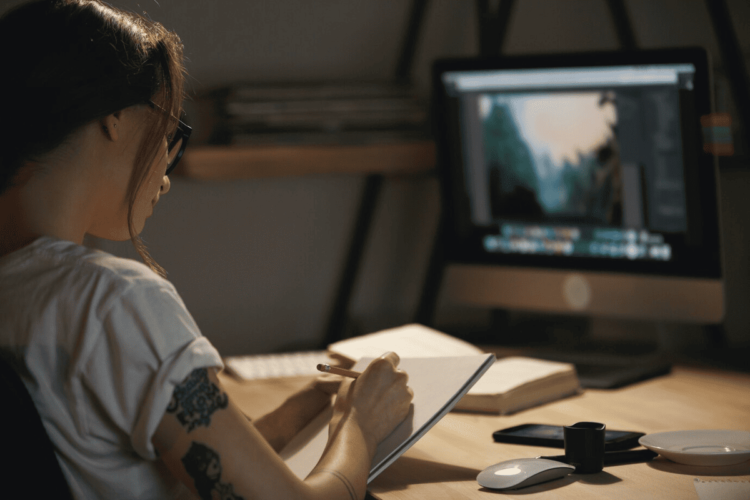
6. VideoProc Converter
As mentioned earlier, conversion is often a part of the workflow. VideoProc Converter is among the best tools for that. The main advantage is that it’s fast. Moreover, it supports tons of formats and even offers features like video stabilization and noise reduction. Additionally, you can use it to downsize large video files or convert between formats without losing quality. This is especially useful for repurposing YouTube content for Instagram or vice versa. You can tweak the resolution or bitrate for faster loading times.
7. EaseUS VideoKit
While being a fashion blogger, you might want to add stylish motion elements to your content. EaseUS VideoKit can help you create quick and high-quality GIFs from short video clips. It can be a twirl in a new outfit or a snippet from a fashion haul.
With this tool, you can trim the exact portion of the video you want, adjust the frame rate, and resize the output. Everything can be done in a few clicks. The final result is smooth and vibrant. You can use your GIFs in blog posts, newsletters, or social media. They can help you grab attention even if there’s no full-length video.
Closing remarks
When you run a fashion blog, it takes more than just a good camera and microphone. It’s about using the right tools to polish, convert, and edit your files so that the final product is engaging, professional, and true to your personal brand. There are tons of tools that you can use for editing. The aforementioned tools are the ones that I’ve been using for a couple of years now. And the thing is that they assist me in creating professionally looking content.
Leave a Reply